
The Full List of eSIM Compatible Phones and Devices
Over 200 smartphone models now ship without a physical SIM tray at all. An eSIM compatible device has a tiny embedded chip that you can activate by scanning a QR code from your carrier, instantly switching networks without swapping a card. This built-in flexibility lets you hold multiple plans on one phone and travel abroad without hunting for a local SIM shop. eSIM compatible devices turn your phone into a portable, programmable identity.
Understanding Which Gadgets Support Digital SIM Technology
To figure out which gadgets support digital SIM technology, you first need to check the device’s specs for « eSIM » or « embedded SIM. » Most modern smartphones from the last few years, including the latest iPhones, Google Pixels, and Samsung Galaxy S series, are eSIM compatible devices. However, not all models from these brands include it—budget or older versions often skip the feature. Beyond phones, you’ll also find eSIM in some high-end tablets, like the iPad Pro, and certain smartwatches, such as the Apple Watch, for standalone cellular plans. Laptops are rarer but do exist, like the Surface Pro X. Always confirm your gadget’s model number online to be sure of its eSIM status.
How Smartphones Have Embraced Programmable SIM Cards
Smartphones have fully embraced programmable SIM cards by integrating eSIM slots directly onto their motherboards, starting with flagships like the iPhone XS and Google Pixel 2. This lets you switch carriers or add a second line without fiddling with a physical card—just scan a QR code from your provider to activate instantly. Many modern phones now support dual SIM flexibility, combining a physical SIM with an eSIM for travel or work. Q: How does a phone store multiple eSIM profiles? A: It saves several profiles (often 5–10) in software, but you can only keep two active at once for calls and data.
Flagship Models Leading the Shift Away from Physical SIMs
Premium smartphones are the primary drivers of the eSIM transition, with flagship models leading the shift away from physical SIMs by defaulting to digital-only configurations. Apple’s iPhone 14 and 15 series in the US ship without a physical SIM tray, forcing users to adopt eSIM solely. Google’s Pixel 8 Pro and Samsung’s Galaxy S24 Ultra also emphasize eSIM as the primary slot, relegating the physical tray to a secondary or shared role. This hardware design choice effectively compels early adopters to embrace digital SIMs first. Q: Which flagship model completely eliminates the physical SIM tray for its US market? A: The iPhone 14 series, including the iPhone 14 Pro Max, was the first to ship without any SIM tray.
Mid-Range and Budget Phones That Accept Remote SIM Provisioning
For users seeking affordable eSIM flexibility, mid-range and budget phones now frequently support remote SIM provisioning without flagship pricing. Google’s Pixel 6a and 7a allow instant carrier profile downloads, while Samsung’s Galaxy A54 5G and A34 5G enable dual-SIM workflows via eSIM alongside a physical card. Motorola’s Edge 30 Fusion and OnePlus Nord N30 5G also include this feature, letting travelers add local data plans on the fly. Most require a stable internet connection for activation but handle switching between profiles seamlessly; check carrier compatibility beforehand, as some budget models restrict eSIM to specific regions.
Exploring eSIM in Tablets and Laptops
Exploring eSIM in tablets and laptops transforms how users manage connectivity on eSIM compatible devices. Instead of sourcing physical SIM cards, you activate a data plan directly from the device’s settings, ideal for travel or remote work. On a tablet, this allows seamless switching between home and mobile networks without removing a tray. Laptops benefit by maintaining constant internet access without tethering to a phone. A critical practical detail is that not all eSIM tablets and laptops support cellular data simultaneously with a second physical SIM, so verify dual-SIM capabilities if needed. Use device management software to store multiple eSIM profiles, enabling instant carrier switching for optimal coverage or cost per region.
Tablets Designed for Cellular Connectivity Without a Physical Slot
Some tablets achieve cellular connectivity exclusively through an embedded SIM, eliminating the physical SIM tray entirely. These devices, known as slate eSIM-only tablets, rely on a soldered eSIM chip activated via a carrier profile download. Users must select a compatible mobile plan before setup, as no alternative physical slot exists. This design compels strict carrier compatibility checks prior to purchase, especially for international travel. Without a slot, swapping providers requires deleting an old profile and provisioning a new one through software, which can be less immediate than swapping cards.
- Activation demands a stable Wi-Fi connection to download the eSIM profile
- Multi-carrier profiles can be stored but only one is active at a time
- Factory resets may permanently erase all saved eSIM profiles, requiring re-download
Ultrabooks and 2-in-1 Devices with Integrated Digital SIM Support

Ultrabooks and 2-in-1 devices with integrated digital SIM support allow users to activate a cellular data plan directly on the laptop without a physical nano-SIM card. This built-in eSIM functionality provides always-connected internet access, eliminating reliance on public Wi-Fi or smartphone tethering. For professionals, this ensures seamless cloud access and VPN connectivity during travel. Key considerations include carrier profile compatibility for data-only plans and the ability to manage multiple operator profiles via the operating system’s settings. These devices typically support LTE or 5G, enabling consistent broadband speeds for video conferencing and large file transfers.
- Can store multiple eSIM profiles but only one active connection at a time for data.
- Requires a laptop with a dedicated eSIM chip and compatible firmware, not just a cellular modem.
- Battery autonomy is slightly lower than Wi‑Fi models due to constant cellular radio scanning.
- Most systems allow instant profile switching between home and roaming operators without swapping a physical card.
Enterprise Laptops Offering Dual SIM Flexibility
Enterprise laptops offering dual SIM flexibility combine a physical nano-SIM slot with an integrated eSIM, enabling seamless connectivity across two separate mobile networks without swapping cards. This setup allows IT administrators to provision a corporate data plan via the eSIM while employees use a physical SIM for personal roaming or backup. The dual SIM enterprise laptop configuration ensures persistent remote access, as one network can automatically failover to the other during outages. Users maintain separate billing and profiles for work and personal lines, simplifying expense reporting.
Q: Can an enterprise laptop with dual SIM flexibility switch between cellular carriers without user intervention?
A: Yes, IT-managed eSIM profiles support automatic carrier switching based on signal strength or data cost, while the physical SIM remains manually controlled by the user.
Wearables That Ditch the SIM Tray
Wearables that ditch the SIM tray, such as the Apple Watch Ultra or Samsung Galaxy Watch6, rely entirely on an embedded SIM (eSIM) to connect to cellular networks, making them slimmer and more water-resistant. For these devices, activating the eSIM typically requires scanning a QR code or using a carrier app, since there is no physical slot for a card. This eliminates the need for a second, separate phone number through features like Apple’s NumberShare or Samsung’s Remote SIM, which mirror the smartphone’s existing line. However, switching carriers on such an eSIM-only wearable is less immediate than swapping a physical SIM, as you must download a new digital profile. Unlike smartphones, most wearables with no SIM tray also face limitations in transferring an existing number if the paired phone is off. The primary practical benefit is a completely sealed chassis that better withstands swimming and sweat without a tray’s opening.
Smartwatches with Standalone Cellular Capabilities

A smartwatch with standalone cellular capabilities uses an eSIM to function as an independent device, allowing calls, texts, and data streaming without a paired smartphone. This eliminates the need for a physical SIM tray, enabling a truly tether-free experience. For activation, users typically follow a sequence:
- Purchase a compatible cellular smartwatch model.
- Log into your carrier account via the watch’s companion app.
- Download the eSIM profile directly to the smartwatch.
- Assign a separate phone number or use a shared number plan.
This setup is ideal for runners or quick errands where carrying a phone is impractical, relying entirely on the watch’s own LTE radio and embedded SIM technology for connectivity.
Fitness Trackers and Connected Wearables Using Embedded SIMs
Fitness trackers and connected wearables powered by embedded SIMs liberate you from the phone, enabling truly untethered activity. You can stream music directly from your wrist during a run, receive calls while swimming, or track a cycling route via GPS without carrying a smartphone. The eSIM eliminates the physical tray, allowing for sleeker, more waterproof designs that better withstand sweat and rain. This directly enables true real-time independent tracking of workouts and health metrics, as your device automatically syncs data and sends alerts even when your phone is left behind. The result is a lighter, more durable companion that keeps you connected on your own terms.
Kids’ Smartwatches Relying on Remote Activation
Kids’ smartwatches relying on remote activation leverage an embedded eSIM to establish cellular connectivity without a physical SIM tray. This design allows a parent to activate the watch’s mobile plan entirely through a companion app, scanning a QR code or entering an activation code provided by the carrier. Remote provisioning means the child receives a dedicated phone number for calls and GPS tracking, while the parent controls data limits and contact lists from their own device. The watch remains offline until the eSIM is remotely enabled, ensuring no unintended connectivity. This method eliminates the risk of a small, removable SIM card being lost or swapped, and simplifies setup for non-technical users. Remote eSIM activation directly enables a safer, more controlled wearable experience.
Routers and Mobile Hotspots Using Embedded SIM Modules
Routers and mobile hotspots with embedded SIM (eSIM) modules offer a seamless alternative to swapping physical plastic cards. These devices integrate a reprogrammable chip directly onto the motherboard, allowing you to switch carriers or data plans remotely via a management portal or mobile app. When using an eSIM-compatible hotspot, provisioning is instant: you purchase a data package, download the profile, and activate the service without waiting for a physical delivery. This eliminates the risk of losing or damaging a tiny SIM tray, a common failure point in rugged travel routers. For deployment flexibility, a single eSIM device can hold multiple carrier profiles, enabling automatic failover between networks if one signal weakens. Planning network bandwidth around the eSIM’s downloadable profiles is critical, as concurrent sessions on large file transfers can max out a single provisioning slot. Managing these devices typically involves a centralized dashboard where you push profiles to all deployed units remotely—ideal for distributed workforces or RV setups.
Portable Wi-Fi Hubs for Travelers with Built-in Digital Profiles
Portable Wi-Fi hubs for travelers with built-in digital profiles transform connectivity by letting you pre-load destination-specific eSIM plans before departure. These travel smart hubs store multiple carrier profiles, allowing seamless profile switching via a companion app without physical SIM swaps. Upon landing, the hub auto-activates the correct profile, eliminating manual setup. This design ensures instant internet access across borders, ideal for shifting from a European data package to an Asia-focused plan.
- Store up to five carrier profiles for different regions simultaneously.
- Switch profiles remotely via the hub’s app without reconnecting devices.
- Auto-activate a country-specific profile upon detecting local networks.
Fixed Wireless Routers Supporting Multiple Carrier Profiles
Fixed wireless routers with embedded SIMs break the tether to a single provider by housing multiple carrier profiles. This allows you to switch networks on the fly, overriding a congested or failing ISP without hardware swaps. You can configure a primary profile for daily use and a backup for failover, ensuring your office or smart home stays online during outages. This capability transforms a static broadband setup into a dynamic, self-healing connection. Multi-profile fixed wireless routers effectively let you crowdsource network reliability, choosing the best signal or rate plan for any given moment right from the router’s interface.
Fixed wireless routers with multiple carrier profiles use embedded SIM tech to let you switch providers on demand, ensuring resilient, self-optimized broadband without swapping hardware.
Enterprise Routers Optimized for Remote SIM Management
Enterprise routers built for remote SIM management let your IT team switch mobile carriers across global offices without touching a single device. A centralized dashboard handles all subscriptions, so if a branch router loses signal, you can instantly deploy a new profile from headquarters. These routers often support multiple concurrent eSIM profiles, allowing automatic failover between networks. Remote profile provisioning eliminates physical SIM swaps, crucial for unattended sites like ATMs or digital signage. How do these routers handle multiple eSIMs? They typically store several profiles locally, allowing policy-based switching—say, defaulting to the cheapest carrier until a latency threshold is triggered, then seamlessly hopping to a backup. This simplifies fleet management significantly.
Automotive and IoT Devices Leveraging Virtual SIM Cards
An eSIM-compatible automotive system transforms a family road trip by automatically switching between regional carriers as you cross state lines, ensuring navigation and streaming never drop. In a similar way, a fleet of IoT-connected tractors uses virtual SIM profiles to maintain telemetry when moving between remote fields with different network coverage.
The key insight is that these devices don’t need a physical card swap; they simply download a new operator profile over-the-air when the environment changes.
This means your car can keep emergency services active even when roaming, and a smart irrigation controller can fall back to a secondary virtual carrier if the primary signal weakens due to weather or terrain.
Connected Cars with Embedded SIMs for Infotainment and Telematics
Connected cars leverage embedded SIMs for infotainment and telematics to transform the driving experience into a seamless mobile hub. These eSIMs directly stream high-definition music, video, and real-time navigation without tethering to a passenger’s phone. Telematics units use the same embedded connectivity to push over-the-air map updates, diagnose engine health remotely, and automate emergency calls in collisions. This always-on link means the car can intelligently reroute based on live traffic without driver intervention. Drivers gain persistent access to cloud-based voice assistants and app ecosystems, while vehicle-to-everything data flows reliably regardless of regional carrier coverage.
- Enables instant access to streaming services and live traffic overlays without pairing a phone.
- Facilitates remote vehicle diagnostics and automatic emergency assistance via a permanent network connection.
- Supports simultaneous operation of infotainment apps and telematics systems on a single eSIM profile.
Smart Home Gadgets That Activate via Digital SIM
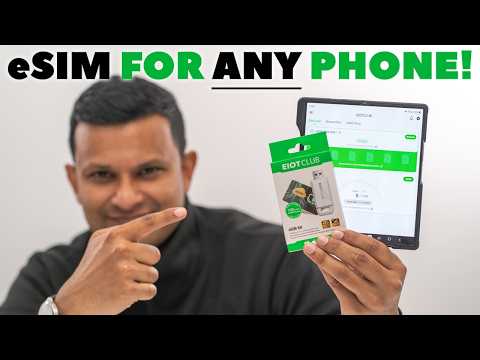
Smart home gadgets that activate via digital SIM bypass traditional Wi-Fi dependence by embedding an eSIM directly into the device, enabling instant cellular connectivity out of the box. This means a security camera or smart lock can be activated without a physical SIM card, using a downloaded profile to link to a mobile network. Users simply scan a QR code or use an app to provision the eSIM, allowing remote monitoring and control from anywhere. The setup eliminates pairing hassles and ensures uninterrupted operation during home internet outages. Autonomous data routing is managed entirely by the gadget’s embedded modem, not a router.
- Motion sensors and doorbells eSIM-activate within minutes via a companion app.
- Smart thermostats use digital SIM profiles to report energy data directly to the cloud.
- Garage door controllers with eSIMs enable geo-fenced opening without Wi-Fi.
Industrial IoT Sensors and Their Dependence on Remote Provisioning
Industrial IoT sensors, from vibration monitors on factory motors to environmental trackers in cold chains, depend entirely on remote provisioning to function at scale. Without physical SIM swaps, these deployed devices use eSIM profiles to securely access mobile networks the moment they power on, adapting their connectivity to local carriers automatically. A sensor in a remote pipeline cannot wait for a technician to manually update its cellular subscription when crossing a border. This reliance on remote SIM provisioning for industrial sensors ensures uninterrupted data flow, real-time alerts, and dynamic network switching—critical for assets that must remain operational and reachable for years without direct human intervention.
Regional and Carrier Variations in Compatible Hardware
When it comes to eSIM compatible devices, identical phone models can differ massively by region and carrier. A Google Pixel sold in Japan might support a specific local carrier’s eSIM profile, while the same model from the US may lack that exact frequency band or profile pairing.
Carriers often whitelist or blacklist IMEI ranges, meaning a device sold in one country might refuse to activate an eSIM from another region even if the hardware is technically identical.
Always check if your exact device model number and its original carrier region are supported by your new provider’s eSIM—many budget eSIMs from Asian manufacturers simply won’t work on North American networks due to different hardware certifications.
North American Market Leaders in Digital SIM Support
Within the « Regional and Carrier Variations in Compatible Hardware » section, North American market leaders in digital SIM support are defined by their curated device whitelists and proprietary activation flows. T-Mobile leads with the broadest eSIM compatibility across unlocked and carrier-locked hardware, including most recent iPhones and Google Pixels. Verizon restricts true dual-SIM functionality, often requiring a physical SIM for the primary line on older models. AT&T’s support remains heavily tied to its own branded devices, creating friction for unlocked hardware users. This carrier-specific fragmentation means a device’s eSIM compatibility is not universal across North American networks despite the same hardware model.
| Carrier | eSIM Activation Method | Primary Hardware Limitation |
|---|---|---|
| T-Mobile | QR code or app-based | Minimal; supports most unlocked eSIM devices |
| Verizon | Carrier app only | Restricts dual-active eSIM on non-carrier hardware |
| AT&T | Store-based or QR for whitelisted models | Blocks eSIM on many non-AT&T phones |
European and Asian Models Prioritizing Dual SIM with eSIM
European and Asian smartphone manufacturers often prioritize dual SIM with eSIM hardware configurations to accommodate frequent travelers and business users. In these regions, devices typically pair a physical nano-SIM slot with an integrated eSIM, enabling users to maintain a local carrier for calls while using a secondary eSIM for data roaming abroad. For instance, recent mid-range to flagship models from brands like Samsung, Xiaomi, and OnePlus ship with this hybrid setup standard. This design allows seamless switching between two profiles without needing to swap physical cards—a practical response to regional multi-carrier usage habits.
- Device firmware in these models often permits simultaneous active connections on both the physical SIM and eSIM.
- Users can assign the eSIM for data-heavy tasks while reserving the physical SIM for voice and SMS.
- Setup menus in these regional variants explicitly support eSIM activation alongside physical SIM management.
Carrier Locked Devices vs. Unlocked Digital SIM Options
When using an eSIM, a carrier-locked device restricts you to that specific carrier’s eSIM profiles, blocking the addition of a local data plan from another provider while traveling. In contrast, an unlocked device allows you to install any compatible eSIM profile UK eSIM from regional or international carriers, offering immediate flexibility. However, even an unlocked phone may still lack support for certain carrier-specific eSIM profiles due to proprietary hardware bands or firmware exclusions. Thus, for seamless global connectivity, unlocked digital SIM options are essential, as they enable switching between carriers without physical SIM swaps or unlocking fees.
How to Identify if Your Existing Device Can Use a Virtual SIM
To determine if your existing device supports a virtual SIM, first check your phone’s settings menu: navigate to “About Phone” or “General” and look for an **“EID” (Embedded Identity Document) number**—its presence confirms native eSIM hardware. Alternatively, dial `*#06#`; if your screen displays an EID alongside the IMEI, you’re equipped. For iPhones, recent models (XR and later, excluding the Chinese market) inherently support eSIM; on Android, visit your manufacturer’s support page with your exact model number to verify. **Carriers often maintain a device compatibility list**, so cross-check your phone against their online portal. *Remember, a locked device may still physically support eSIM but require unlocking before activation.* The quickest test is attempting to scan a carrier’s QR code in “Cellular” settings—if the option appears, you’re ready to go.
Checking Settings Menus for Cellular Plan Options
To confirm eSIM support, dive into your device’s main Settings menu and look for « Cellular » or « Mobile Data. » Tap « Add Cellular Plan » or « Carrier Services »; if you see an option to scan a QR code or enter details manually, that’s a strong indicator your device is eSIM-ready. Accessing the cellular plan options menu reveals whether your phone can store a digital SIM alongside a physical one. If the menu only offers « Add Cellular Plan » without further prompts, you may need to restart or update your device to unlock the feature.
- Navigate to Settings > Cellular > Add Cellular Plan to check for QR code or manual entry prompts.
- If « Add Cellular Plan » is grayed out, your carrier may need to provision your account first.
- Look for « Dual SIM with eSIM » under the « Cellular Plans » section to verify hardware support.
- Restart your phone if no eSIM option appears, then revisit the cellular menu.
Using IMEI Lookup Tools for Compatibility Verification

An IMEI lookup tool provides the most reliable method for verifying your device’s eSIM compatibility. Simply dial *#06# to display your unique IMEI, then enter it into a carrier’s or manufacturer’s verification portal. The tool cross-references your device’s hardware against the eSIM compatibility database, instantly confirming if your model supports virtual SIM profiles. Even a phone sold as « eSIM-ready » may lack support for a specific carrier due to regional firmware limitations, which a direct IMEI check reveals. This process eliminates guesswork, saving you the frustration of purchasing a plan that your device cannot activate. Always run a lookup before switching carriers to ensure a seamless transition.
Consulting Manufacturer Specifications for Embedded SIM Support
Consulting the manufacturer’s official technical specifications is the most reliable method to confirm embedded SIM support. Navigate to the device’s product page or support portal and look for terms like “eSIM,” “virtual SIM,” or “embedded SIM” under connectivity details. Cross-referencing model numbers against the carrier’s compatibility list ensures accuracy, as regional variants often lack the feature. For example, a North American iPhone model may support eSIM while the Chinese version does not. If specs are ambiguous, download the full datasheet PDF to check for hardware-level eSIM components, which are rarely omitted from official documentation.
- Search the manufacturer’s official site for “eSIM” in the specifications tab, not third-party retailer pages.
- Verify the exact model number (e.g., SM-S928B vs. SM-S928U) as eSIM is often model-specific.
- Check the user manual’s “SIM card” section for instructions on enabling an embedded SIM profile.
- Contact manufacturer support directly with your IMEI to request eSIM hardware confirmation if specs are unclear.